What is MTA-STS and How It Works With TLS-RPT
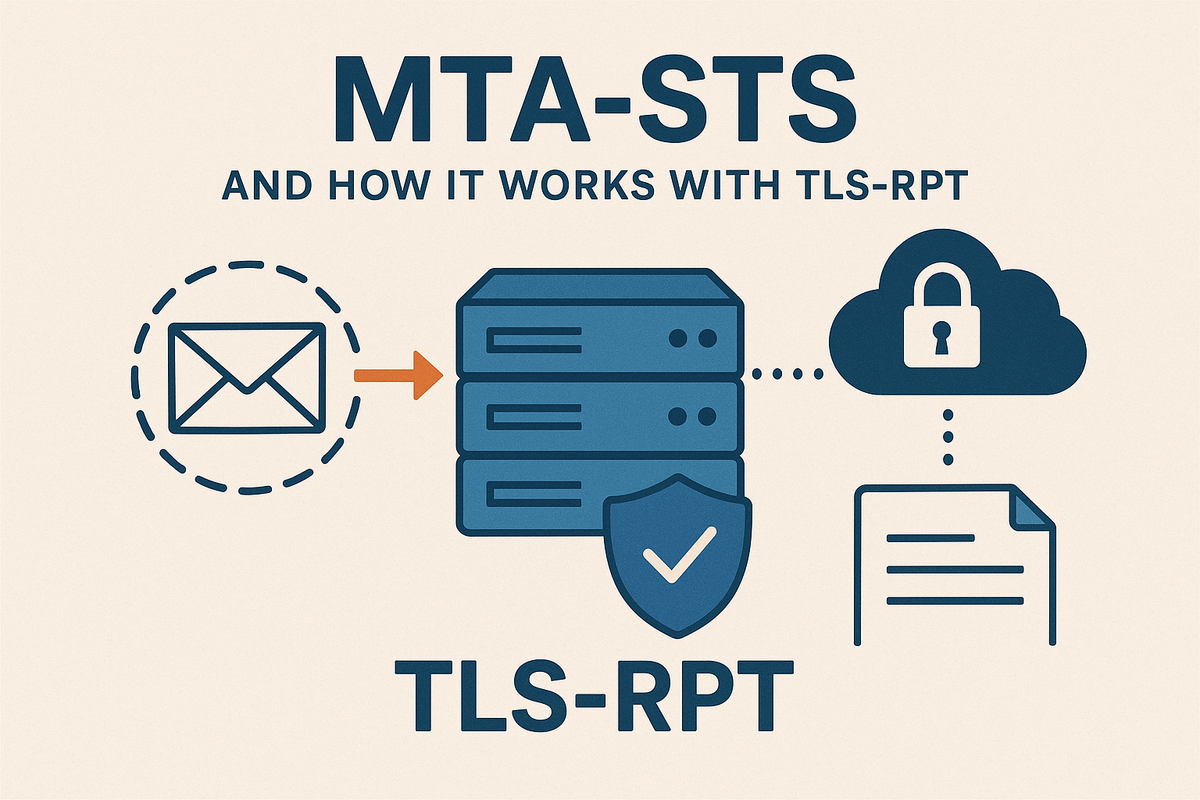
MTA-STS (Mail Transfer Agent Strict Transport Security) and TLS-RPT (TLS Reporting) are complementary standards that address fundamental weaknesses in opportunistic SMTP TLS encryption. MTA-STS enables receiving domains to publish and enforce strict TLS policies for inbound mail delivery, preventing downgrade and man-in-the-middle attacks that plague traditional STARTTLS. TLS-RPT provides aggregate reporting of TLS failures, giving domain operators visibility into delivery problems and potential security incidents.
Background: The Problem With Opportunistic TLS
Traditional SMTP has relied on opportunistic encryption via STARTTLS since RFC 3207. When a sending MTA connects to a receiving MTA, it can advertise STARTTLS support, and if both parties agree, they upgrade the connection to TLS. However, this approach has critical vulnerabilities:
The Downgrade Attack Vector
Because STARTTLS is opportunistic, an attacker positioned between sender and receiver can:
- Strip the
STARTTLScapability from the EHLO response - Force plaintext transmission of email content
- The sending MTA has no way to know that encryption should have been required
The MITM Problem
Even when STARTTLS succeeds, traditional SMTP doesn't enforce:
- Certificate validation (many MTAs accept self-signed or invalid certificates)
- Hostname verification against MX records
- Minimum TLS protocol versions or cipher suites
An active attacker can present a fraudulent certificate, and many sending MTAs will accept it rather than fail delivery.
Why This Matters
Email often contains sensitive information: password resets, financial statements, medical records, and confidential business communications. The lack of enforced encryption means that adversaries with network access—whether nation-state actors, ISPs, or compromised infrastructure—can intercept messages in transit.
Traditional opportunistic TLS provides zero cryptographic guarantee of delivery security. MTA-STS fixes this.
What is MTA-STS?
MTA-STS (defined in RFC 8461) enables receiving domains to publish a policy declaring that:
- All inbound SMTP connections must use TLS
- TLS certificates must be valid and properly verified
- Connections must match specific MX hostnames
- If these requirements cannot be met, senders should fail delivery rather than fall back to plaintext
Key Components
MTA-STS uses three mechanisms:
- DNS TXT Record at
_mta-sts.yourdomain.com– signals policy presence and version - HTTPS Policy Host at
mta-sts.yourdomain.com– serves the actual policy - Policy File at
https://mta-sts.yourdomain.com/.well-known/mta-sts.txt– contains enforcement rules
The use of HTTPS (not DNS alone) prevents DNS-based attacks while leveraging the existing Web PKI trust model.
MTA-STS Policy File Format
The policy file is a plain text file with a simple key-value format:
version: STSv1
mode: enforce
mx: mail.example.com
mx: *.mail.example.com
max_age: 604800
Field Semantics
version (required)
- Must be
STSv1 - Future-proofs the specification
mode (required)
testing– Policy is active but senders should not reject mail on failure (log only)enforce– Senders must reject mail if policy requirements aren't metnone– Policy is explicitly disabled (used to remove a previously published policy)
mx (required, one or more)
- Hostnames that are authorized MX hosts for this domain
- Must match the MX records in DNS
- Supports wildcards:
*.mail.example.commatchesmx1.mail.example.com,mx2.mail.example.com, etc. - Does NOT support partial wildcards like
mx*.example.com - Each MX must be on a separate line
max_age (required)
- Seconds that senders should cache this policy
- Minimum: 86400 (1 day)
- Common values: 604800 (1 week), 1209600 (2 weeks), 2592000 (30 days)
- Shorter values allow faster policy updates; longer values reduce lookup overhead
Example Policies
Simple single-MX enforcement:
version: STSv1
mode: enforce
mx: mail.example.com
max_age: 604800
Multi-MX with wildcard (testing mode):
version: STSv1
mode: testing
mx: mx1.example.com
mx: mx2.example.com
mx: *.backup-mx.example.com
max_age: 86400
Disabling a policy:
version: STSv1
mode: none
max_age: 86400
DNS and HTTPS Requirements
DNS TXT Record
The sending MTA first queries _mta-sts.example.com for a TXT record:
_mta-sts.example.com. IN TXT "v=STSv1; id=20250101T120000"
Fields:
v=STSv1– Protocol versionid=– Unique identifier for this policy version (any alphanumeric string)
The id value is critical: when it changes, sending MTAs know they need to fetch a fresh policy from HTTPS. Common practices:
- Timestamp:
20250101T120000 - Git commit hash:
a1b2c3d4 - Incrementing integer:
42
Important: The id value should change every time you modify the policy file. This ensures senders pick up changes before max_age expires.
HTTPS Hosting Requirements
The policy must be served over HTTPS with:
- Valid TLS certificate (trusted by Web PKI)
- Certificate must match
mta-sts.example.com - HTTP redirects to HTTPS are allowed
- Content-Type:
text/plain(recommended, not strictly required) - Must be available at:
https://mta-sts.example.com/.well-known/mta-sts.txt
Nginx Configuration Example
server {
    listen 443 ssl http2;
    server_name mta-sts.example.com;

    ssl_certificate /etc/letsencrypt/live/mta-sts.example.com/fullchain.pem;
    ssl_certificate_key /etc/letsencrypt/live/mta-sts.example.com/privkey.pem;

    ssl_protocols TLSv1.2 TLSv1.3;
    ssl_ciphers HIGH:!aNULL:!MD5;
    ssl_prefer_server_ciphers on;

    root /var/www/mta-sts;

    location /.well-known/mta-sts.txt {
        default_type text/plain;
        add_header Cache-Control "max-age=604800";
    }

    # Redirect HTTP to HTTPS
    if ($scheme = http) {
        return 301 https://$server_name$request_uri;
    }
}

server {
    listen 80;
    server_name mta-sts.example.com;
    return 301 https://$server_name$request_uri;
}
Place your mta-sts.txt file at:
/var/www/mta-sts/.well-known/mta-sts.txt
Apache Configuration Example
<VirtualHost *:443>
    ServerName mta-sts.example.com
    DocumentRoot /var/www/mta-sts

    SSLEngine on
    SSLCertificateFile /etc/letsencrypt/live/mta-sts.example.com/cert.pem
    SSLCertificateKeyFile /etc/letsencrypt/live/mta-sts.example.com/privkey.pem
    SSLCertificateChainFile /etc/letsencrypt/live/mta-sts.example.com/chain.pem

    <Directory /var/www/mta-sts/.well-known>
        <Files mta-sts.txt>
            Header set Content-Type "text/plain"
            Header set Cache-Control "max-age=604800"
        </Files>
    </Directory>
</VirtualHost>

<VirtualHost *:80>
    ServerName mta-sts.example.com
    Redirect permanent / https://mta-sts.example.com/
</VirtualHost>
How Sending MTAs Evaluate MTA-STS Policies
When a sending MTA prepares to deliver mail to [email protected], it follows this sequence:
Policy Discovery and Evaluation Flow
Step 1: DNS Lookup
- Query
_mta-sts.example.comTXT record - If no record exists, MTA-STS is not supported → proceed with normal delivery
- If record exists, extract
idvalue
Step 2: Cache Check
- Check if a policy for
example.comis already cached - Compare cached
idwith DNSid - If
idmatches ANDmax_agenot expired → use cached policy - Otherwise, proceed to fetch new policy
Step 3: HTTPS Policy Fetch
- Connect to
https://mta-sts.example.com/.well-known/mta-sts.txt - Validate TLS certificate using Web PKI
- Download and parse policy file
- Cache policy with timestamp
Step 4: MX Resolution
- Query MX records for
example.com - Example result:
mail.example.com(priority 10)
Step 5: MX Matching
- Check if resolved MX hostname matches any
mx:entry in policy - Wildcard matching:
*.mail.example.commatchesmx1.mail.example.com - If no match → policy violation
Step 6: SMTP Connection with TLS
- Connect to resolved MX host
- Issue EHLO
- Check for STARTTLS capability
- If STARTTLS not offered → policy violation
- Initiate STARTTLS
Step 7: TLS Certificate Verification
- Validate certificate chain against Web PKI roots
- Verify certificate hostname matches MX hostname (not the recipient domain)
- Check certificate is not expired
- Verify minimum TLS version if policy specifies (MTA-STS doesn't specify this, but best practice is TLS 1.2+)
Step 8: Policy Enforcement Decision
If mode: enforce:
- Any violation → reject delivery, generate bounce
- Log failure details for TLS-RPT reporting
If mode: testing:
- Violations logged but delivery proceeds
- Generate TLS-RPT report with failure details
Simplified Sequence Diagram
Sending MTA                  DNS              HTTPS Host           Receiving MTA
    |                         |                    |                     |
    |--Query _mta-sts.TXT---->|                    |                     |
    |<---id=20250101----------|                    |                     |
    |                         |                    |                     |
    |--GET /.well-known/mta-sts.txt-------------->|                     |
    |<---Policy (mode:enforce, mx:mail.example)----|                     |
    |                         |                    |                     |
    |--Query MX example.com-->|                    |                     |
    |<---mail.example.com-----|                    |                     |
    |                         |                    |                     |
    |--SMTP Connect-------------------------------------------->|        |
    |<---220 ESMTP--------------------------------------------|        |
    |--EHLO---------------------------------------------------->|        |
    |<---250-STARTTLS--------------------------------------------|        |
    |--STARTTLS------------------------------------------------->|        |
    |<===TLS Handshake (verify cert)===========================>|        |
    |--MAIL FROM:---------------------------------------------->|        |
What is TLS-RPT and Why It Matters
TLS-RPT (TLS Reporting, RFC 8460) is a companion standard that provides aggregate reporting of TLS negotiation failures. While MTA-STS tells senders what to enforce, TLS-RPT tells domain owners when enforcement fails.
Why This Complements MTA-STS
Without TLS-RPT, you're flying blind:
- You don't know if legitimate senders are failing to deliver
- You can't detect active attacks or misconfigurations
- You have no data to inform policy adjustments
TLS-RPT provides:
- Aggregate failure statistics
- Breakdown by failure type (cert invalid, STARTTLS not supported, etc.)
- Source information (which sending domains/IPs experienced issues)
- Evidence of potential attacks
DNS Record Format
TLS-RPT uses a TXT record at _smtp._tls.example.com:
_smtp._tls.example.com. IN TXT "v=TLSRPTv1; rua=mailto:[email protected]"
Fields:
v=TLSRPTv1– Protocol versionrua=– Reporting URI (where to send reports)
Multiple reporting endpoints:
v=TLSRPTv1; rua=mailto:[email protected],mailto:[email protected]
HTTP endpoints (if supported by sender):
v=TLSRPTv1; rua=https://reporting.example.com/tlsrpt,mailto:[email protected]
Note: Email (mailto:) is universally supported; HTTPS endpoints are less common.
Example TLS-RPT Aggregate Report
Reports are sent as JSON payloads, typically once per day from each sending organization. Here's a simplified example:
{
  "organization-name": "BigMailer Corp",
  "date-range": {
    "start-datetime": "2025-01-15T00:00:00Z",
    "end-datetime": "2025-01-15T23:59:59Z"
  },
  "contact-info": "[email protected]",
  "report-id": "2025-01-15-bigmailer-example.com",
  "policies": [
    {
      "policy": {
        "policy-type": "sts",
        "policy-string": ["version: STSv1", "mode: enforce", "mx: mail.example.com", "max_age: 604800"],
        "policy-domain": "example.com"
      },
      "summary": {
        "total-successful-session-count": 15234,
        "total-failure-session-count": 12
      },
      "failure-details": [
        {
          "result-type": "certificate-not-trusted",
          "sending-mta-ip": "192.0.2.45",
          "receiving-mx-hostname": "mail.example.com",
          "receiving-ip": "203.0.113.10",
          "failed-session-count": 8,
          "additional-information": "Certificate signed by unknown CA"
        },
        {
          "result-type": "starttls-not-supported",
          "sending-mta-ip": "198.51.100.73",
          "receiving-mx-hostname": "backup.example.com",
          "receiving-ip": "203.0.113.50",
          "failed-session-count": 4
        }
      ]
    }
  ]
}
Key Fields Explained
organization-name – The sending organization generating the report
date-range – Reporting period (typically 24 hours)
report-id – Unique identifier for this report
policy-type – sts (MTA-STS) or tlsa (DANE)
policy-string – The actual policy retrieved and evaluated
total-successful-session-count – Successful TLS connections
total-failure-session-count – Failed connections due to policy violations
result-type – Reason for failure:
certificate-expiredcertificate-not-trustedcertificate-host-mismatchstarttls-not-supportedtlsa-invalid(DANE-specific)dnssec-invalid(DANE-specific)validation-failure(generic)
receiving-mx-hostname – Which MX host failed
failed-session-count – How many times this failure occurred
Step-by-Step: Deploying MTA-STS and TLS-RPT
Let's walk through a complete deployment for example.com.
Prerequisites
- Control over DNS for
example.com - Ability to create subdomain
mta-sts.example.com - Web server to host HTTPS content
- Valid TLS certificate for
mta-sts.example.com - Email address or endpoint to receive TLS-RPT reports
Step 1: Create Policy File
Create /var/www/mta-sts/.well-known/mta-sts.txt:
version: STSv1
mode: testing
mx: mail.example.com
mx: mail2.example.com
max_age: 86400
Start in testing mode to monitor without impacting delivery.
Step 2: Configure Web Server
Use the nginx configuration provided earlier. Ensure:
mta-sts.example.comresolves to your web server- TLS certificate is valid
- File is accessible via HTTPS
Step 3: Add DNS TXT Records
Add to your DNS zone:
_mta-sts.example.com.  IN  TXT  "v=STSv1; id=20250119T100000"
_smtp._tls.example.com. IN  TXT  "v=TLSRPTv1; rua=mailto:[email protected]"
Replace 20250119T100000 with current timestamp.
Step 4: Verify DNS Propagation
# Check MTA-STS DNS record
dig +short TXT _mta-sts.example.com

# Expected output:
# "v=STSv1; id=20250119T100000"

# Check TLS-RPT record
dig +short TXT _smtp._tls.example.com

# Expected output:
# "v=TLSRPTv1; rua=mailto:[email protected]"
Step 5: Verify HTTPS Policy Delivery
# Fetch policy file
curl -v https://mta-sts.example.com/.well-known/mta-sts.txt

# Should return:
# HTTP/2 200
# content-type: text/plain
#
# version: STSv1
# mode: testing
# mx: mail.example.com
# mx: mail2.example.com
# max_age: 86400
Verify the TLS certificate:
openssl s_client -connect mta-sts.example.com:443 -servername mta-sts.example.com < /dev/null
Check for:
- Valid certificate chain
- Hostname matches
mta-sts.example.com - Not expired
Step 6: Test STARTTLS on Your MX
# Connect to your MX
openssl s_client -connect mail.example.com:25 -starttls smtp -servername mail.example.com

# Or using telnet/nc:
telnet mail.example.com 25
# EHLO test.example.com
# Check for "250-STARTTLS" in response
Verify:
- STARTTLS is advertised
- Certificate is valid for
mail.example.com - TLS 1.2 or higher is supported
Step 7: Monitor TLS-RPT Reports
Check [email protected] daily for incoming reports. Reports typically arrive within 24-48 hours of policy activation.
Look for:
- Failure counts relative to success counts
- Specific failure types
- Patterns (single sender vs. widespread issues)
Step 8: Transition to Enforce Mode
After monitoring for 1-2 weeks with no concerning failures:
- Update
/var/www/mta-sts/.well-known/mta-sts.txt:
version: STSv1
mode: enforce
mx: mail.example.com
mx: mail2.example.com
max_age: 604800
- Update DNS TXT record
id:
_mta-sts.example.com. IN TXT "v=STSv1; id=20250201T143000"
- Continue monitoring TLS-RPT for delivery failures
- After 30 days of stable enforcement, consider increasing
max_ageto 2592000 (30 days)
Troubleshooting Checklist
Policy Not Being Retrieved
DNS record missing or malformed:
dig +short TXT _mta-sts.example.com
# Should return: "v=STSv1; id=..."
- Verify exact subdomain
_mta-sts.example.com - Check for typos in
v=STSv1 - Ensure quotes around TXT record value
HTTPS host unreachable:
curl -I https://mta-sts.example.com/.well-known/mta-sts.txt
# Should return: HTTP/2 200
- Check DNS resolution for
mta-sts.example.com - Verify web server is running and listening on 443
- Check firewall rules
TLS certificate issues:
curl -v https://mta-sts.example.com/.well-known/mta-sts.txt
- Look for certificate errors in curl output
- Common issues: expired cert, wrong hostname, self-signed
- Use Let's Encrypt for easy, free certificates
Policy Retrieved But Not Enforced
MX hostname mismatch:
# Check your actual MX records
dig +short MX example.com
# Compare with 'mx:' lines in policy file
- MX records must match policy
mx:declarations exactly - Wildcards:
*.mail.example.commatchesmx1.mail.example.combut notmx1.example.com
Policy file syntax errors:
- Each
mx:must be on a separate line - No extra spaces before or after colons
max_agemust be numeric, minimum 86400
Caching issues:
idvalue not updated after policy change- Senders may cache old policy until
max_ageexpires - Always change
idwhen modifying policy
TLS-RPT Reports Not Arriving
DNS record issues:
dig +short TXT _smtp._tls.example.com
# Should return: "v=TLSRPTv1; rua=mailto:..."
- Verify exact subdomain
_smtp._tls.example.com - Check
rua=email address is valid and can receive mail
Mailbox problems:
- TLS-RPT reports can be large (hundreds of KB)
- Check spam/junk folders
- Verify mailbox not full
- Some senders may delay reports 24-48 hours
Low traffic:
- Reports only sent when there's delivery activity
- Small domains may not receive reports from all senders
- Wait 3-7 days for initial reports to arrive
High Failure Rates in Reports
Certificate problems on receiving MX:
openssl s_client -connect mail.example.com:25 -starttls smtp
- Expired certificate
- Certificate doesn't match MX hostname
- Missing intermediate certificates
STARTTLS not available:
- Check mail server configuration
- Verify STARTTLS is enabled
- Test from external network (not localhost)
MX host mismatch:
- Sender connected to unlisted MX host
- Could indicate DNS issues or attacker
Wildcard MX Patterns Not Working
Common mistakes:
# WRONG: Partial wildcard
mx: mx*.example.com

# WRONG: Multiple wildcards
mx: *.*.example.com

# CORRECT: Single wildcard as full label
mx: *.mail.example.com
Security and Operational Considerations
Policy Lifecycle Management
Starting conservatively:
- Begin with
mode: testingandmax_age: 86400(1 day) - Monitor TLS-RPT reports for 1-2 weeks
- Investigate any failures; fix issues before enforcing
- Switch to
mode: enforcewith shortmax_age - Gradually increase
max_ageas confidence grows
Policy updates:
- Always update the
idvalue when changing policy - Consider impact of
max_age: longer values mean slower rollout of changes - If you need to disable MTA-STS quickly (e.g., emergency):
- Change mode to
none - Update
idin DNS - Senders will fetch new policy, but cached policies may persist for up to
max_age
- Change mode to
Handling TLS-RPT Volume
Expected report volume:
- Major providers (Gmail, Outlook, Yahoo) send daily reports
- Smaller senders may batch reports weekly
- High-traffic domains may receive dozens of reports daily
Processing strategies:
- Automated parsing of JSON reports
- Trending analysis for failure rates over time
- Alert on sudden spikes in failure counts
- Monitor for certificate expiration warnings
Storage and retention:
- Reports can be 10KB-1MB each depending on traffic
- Consider automated archival/compression
- Retain for compliance or forensics (30-90 days typical)
Privacy Concerns
TLS-RPT reports contain:
- Sending MTA IP addresses
- Receiving MX hostnames and IPs
- Failure counts and types
Considerations:
- Reports may identify internal infrastructure
- Aggregate nature limits privacy exposure compared to per-message reports
- Review reports before sharing externally
Rotation of Policy ID
The id value should change whenever the policy changes, but you can also rotate it periodically (e.g., monthly) to:
- Force cache refresh across all senders
- Ensure senders re-validate policy
- Detect senders with stale cached policies
Example rotation strategy:
# January 2025
id=2025-01

# February 2025
id=2025-02
No need to change more frequently than policy updates unless troubleshooting.
Certificate Management for mta-sts Host
Best practices:
- Use automated certificate renewal (Let's Encrypt with certbot)
- Monitor certificate expiration (30-day warning minimum)
- If certificate expires, senders cannot fetch policy → delivery failures
- Consider certificate pinning in monitoring (detect unauthorized changes)
Certificate SAN requirements:
- Must include
mta-sts.example.comas Subject Alternative Name - Does not need to include
*.example.comorexample.com
Defense Against Attacks
Policy downgrade attacks:
- Attacker compromises DNS and removes
_mta-stsrecord - Senders with cached policy continue enforcing
- New senders (no cache) won't know about MTA-STS
- Mitigation: Long
max_agevalues (weeks/months)
HTTPS compromise:
- Attacker compromises
mta-sts.example.comweb server - Could serve malicious policy (e.g.,
mode: none) - Mitigation: Harden web server, monitor for unauthorized changes
MX hijacking:
- Attacker changes DNS MX records to attacker-controlled server
- If policy properly configured, attacker MX won't match policy
- Senders will reject delivery
- This is intended behavior: MTA-STS protects against MX hijacking
Quick Reference Appendix
DNS TXT Records
MTA-STS policy indicator:
_mta-sts.example.com. IN TXT "v=STSv1; id=20250119T120000"
TLS-RPT reporting endpoint:
_smtp._tls.example.com. IN TXT "v=TLSRPTv1; rua=mailto:[email protected]"
MTA-STS Policy File
Location: https://mta-sts.example.com/.well-known/mta-sts.txt
Content:
version: STSv1
mode: enforce
mx: mail.example.com
mx: *.backup-mx.example.com
max_age: 604800
Minimal Nginx Config
server {
    listen 443 ssl;
    server_name mta-sts.example.com;

    ssl_certificate /path/to/cert.pem;
    ssl_certificate_key /path/to/key.pem;

    root /var/www/mta-sts;

    location /.well-known/mta-sts.txt {
        default_type text/plain;
    }
}
Sample TLS-RPT Report (Simplified)
{
  "organization-name": "Example Sender",
  "date-range": {
    "start-datetime": "2025-01-19T00:00:00Z",
    "end-datetime": "2025-01-19T23:59:59Z"
  },
  "contact-info": "[email protected]",
  "report-id": "2025-01-19-sender-example.com",
  "policies": [{
    "policy": {
      "policy-type": "sts",
      "policy-domain": "example.com"
    },
    "summary": {
      "total-successful-session-count": 1523,
      "total-failure-session-count": 3
    },
    "failure-details": [{
      "result-type": "certificate-expired",
      "receiving-mx-hostname": "mail.example.com",
      "failed-session-count": 3
    }]
  }]
}
Testing Commands
# Verify DNS records
dig +short TXT _mta-sts.example.com
dig +short TXT _smtp._tls.example.com
dig +short MX example.com

# Fetch policy
curl https://mta-sts.example.com/.well-known/mta-sts.txt

# Check TLS certificate
openssl s_client -connect mta-sts.example.com:443 -servername mta-sts.example.com

# Test STARTTLS on MX
openssl s_client -connect mail.example.com:25 -starttls smtp -servername mail.example.com

# Verify MX reachability
telnet mail.example.com 25
Call to Action: Rollout Strategy
Phase 1: Testing (Week 1-2)
- Deploy policy file with
mode: testing - Set
max_age: 86400(1 day) - Add DNS records
- Monitor TLS-RPT reports
- Fix any certificate or configuration issues
Phase 2: Soft Enforcement (Week 3-4)
- Change to
mode: enforce - Keep
max_age: 86400 - Update DNS
idvalue - Monitor closely for delivery failures
- Address any reported issues immediately
Phase 3: Full Deployment (Month 2+)
- Increase
max_age: 604800(7 days) or higher - Update DNS
idvalue - Establish monitoring and alerting for TLS-RPT failures
- Document procedures for certificate renewal
- Plan for quarterly policy review
Further Reading
Official Specifications:
- RFC 8461: SMTP MTA Strict Transport Security (MTA-STS)
- RFC 8460: SMTP TLS Reporting
- RFC 8314: Cleartext Considered Obsolete (implicit TLS)
Provider Documentation:
- Google: Search for "Gmail MTA-STS documentation"
- Microsoft: Search for "Outlook MTA-STS guidance"
- Postmark: "Implementing MTA-STS guide"
Testing Tools:
- MTA-STS validators (search "MTA-STS testing tool